Case studies are widely used in government to share learning, explain what has been tried, and help teams understand what might work for them. But what makes a case study genuinely useful for the people who rely on them?
Over the past few months, I have been working on a set of digital planning case studies. Alongside this, we recently published draft Create or update a local plan guidance for the new plan making system. Both pieces of work are shaped by the same question: how do we design content that helps people take action, not just absorb information?
The draft guidance takes a user-centred approach, reflecting how plan-makers work best and what they need at different stages of the process. We applied the same approach to our case studies, with user testing focusing on how local planning authorities use digital tools within plan-making, and aligning the structure and language so users can move easily between guidance and related examples.
We want to encourage local planning authorities to adopt digital tools that can help deliver faster, more efficient plan-making. Their feedback shaped the case studies, and surfaced lessons that apply well beyond planning.
This post shares those lessons.
What users really want from a case study
Across sessions, users were consistent in what they found helpful.
1. Put the most important information at the top
Readers scan to orient themselves. They want to know quickly:
what problem was being solved what changed the scale of the work the contextIf they cannot find these early, they often stop reading.
2. Be realistic and open about challenges
Users valued honesty over polish. They wanted to know what took longer than expected, what barriers teams faced, what did not work and what they would do differently next time. This helps others plan more realistically and avoid repeating mistakes.
3. Include simple, meaningful and comparative data
Numbers on their own are rarely useful. Users told us that data only helps them make sense of impact when it shows change, such as a before-and-after comparison.
High-level metrics were enough, as long as they were framed against a previous consultation or workflow. This helped users understand what had improved and judge whether a similar approach might be relevant in their own context.
4. Use clear, human language
Plain English matters most where users are navigating unfamiliar processes or tools. Keeping explanations short, avoiding acronyms and reducing technical phrasing helps readers focus on the learning rather than decoding the text.
5. Make space for peer learning
Users want to learn from each other. Hearing directly from other local planning authorities helps build trust and makes the learning feel grounded in real experience. Case studies work best when they clearly reflect the voices and decisions of the teams involved.
6. Help people understand how something worked in practice
Written descriptions can only go so far. Users found it easier to understand a process when they could see a simple image, screenshot or visual showing how something worked. These did not need to be polished, just clear enough to show the flow or the interface.
7. Make the content easy to find
Users rarely browse for case studies. They tend to discover them when they are linked from relevant guidance, included in toolkits, shared across professional networks or surfaced at the point a decision needs to be made. Visibility is part of usefulness, which is why alignment with guidance such as Create or update a local plan matters.
How we applied these principles
User research helped us refine how we create case studies in our team.
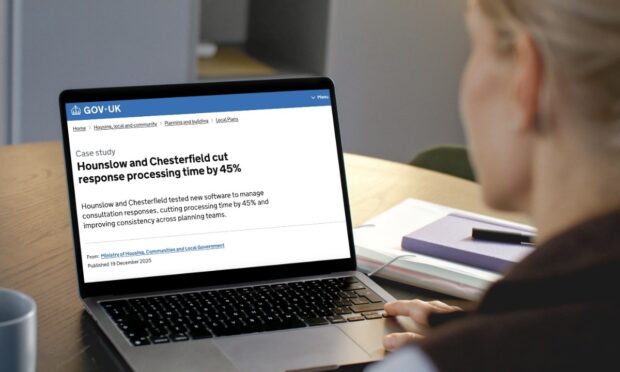
We added an overview box at the top of each case study with the outcome, scale, tools used and a clear statement of context. For example, in Hounslow and Chesterfield cut response processing time by 45%, readers can quickly see what changed, how the work was delivered and what type of planning task it supported before going into detail.
We reordered sections so the essential details appear before narrative content. In Southampton helps residents explore the local plan online, the planning challenge, approach and outcomes are clearly set out early on, helping users understand whether the example is relevant to their own context before investing time in the full story.
We added simple data wherever it existed, and clearly explained any limitations or challenges. Case studies such as Plymouth, South Hams and West Devon improve analysis with AI include high-level metrics alongside reflections on what took longer than expected and where engagement gaps remained, which users told us helped them plan more realistically.
Where it supported understanding, we included simple visuals to show how something worked in practice. For example, Cotswold uses digital consultation hub to double engagement uses screenshots to illustrate the structure and flow of the tool, helping readers visualise the approach without needing a detailed technical explanation.
Most importantly, the structure is now predictable and easy to move through, reflecting how users read. This pattern is consistent across the published digital planning case studies and is something we will continue to apply as the programme develops.
We also designed the case studies to complement the Create or update a local plan guidance. We used shared language, familiar task framing and consistent terminology, so users can move easily between guidance and case studies without having to reorient themselves each time.
Taken together, these changes support a wider aim of the programme: increasing confidence in using digital tools and contributing to a more modern, efficient planning service. When guidance and case studies work together, they help reduce uncertainty and make digital approaches feel more achievable.
What this means for teams writing case studies
The lessons we heard can apply across different areas:
start with what changed, not what happened include limitations as deliberately as you include successes add simple evidence, including comparative data when possible use a structure that reflects how people read keep the tone neutral and practical use clear language that does not assume specialist knowledge think about how users will discover the case study, not just how you publish itGood case studies are practical tools that help people make decisions and learn from others. When created with real users in mind, they become part of how teams build confidence and share knowledge.
What’s next for us
We will apply these principles to the next set of digital planning case studies, which will also be closely linked to the draft Create or update a local plan guidance. We are keen to hear ideas for future digital plan-making case studies and to continue working with local planning authorities to shape this work. If you have suggestions for case study collections, email
We also rely on research volunteers to help test and improve our content. You can sign up to take part in user research.
Keep up to date with the Digital Planning programme by following the programme on LinkedIn and subscribing to the newsletter.